deej + Macropad
A USB desk controller with a volume knob for each app, real media keys and four programmable keys, built around an RP2040, CircuitPython and deej.
Support the designs
Designs and build videos take a lot of time. If the work here has been useful to you, a coffee on Ko-fi helps fund new projects, materials, and files to share.
 Support on Ko-fi
Project Photos
Overview
Every app on my PC plays at a different volume: Chrome is too loud, music is too quiet, and a game drowns out Discord. Fixing it meant opening the Windows volume mixer again and again. So I built a desk controller with one knob per app, real media keys for play, pause and skip, and four keys I can bind to anything.
Per-app volume runs through deej, a small free tray program. Everything else is plain USB, so it works the moment it’s plugged in, with no software installed.
What It Does
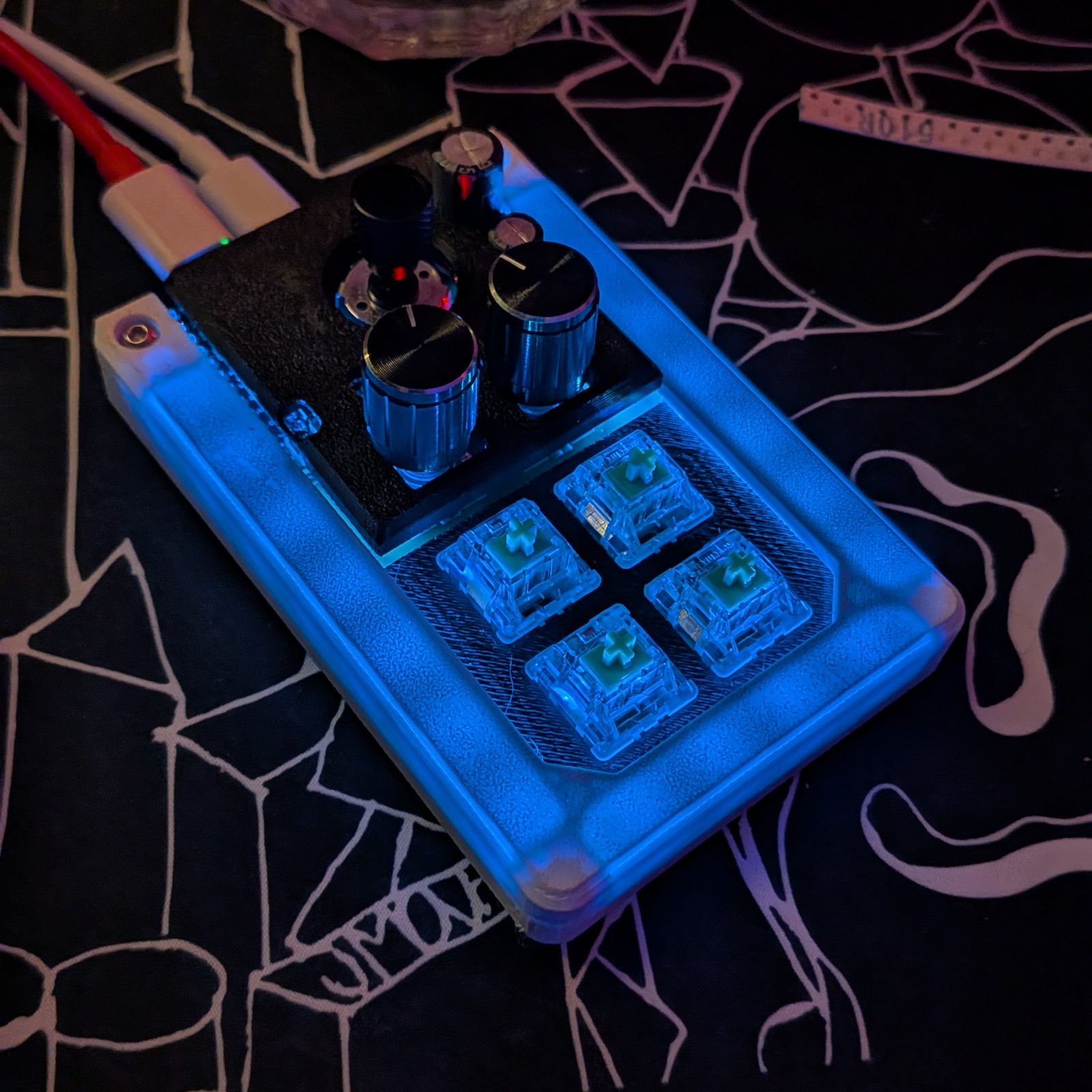
| Control | Out of the box |
|---|---|
| Joystick knob (turn) | Master volume |
| Left knob (turn) | Chrome volume |
| Right knob (turn) | Spotify / foobar2000 volume |
| Left / right knob (press) | Mute / unmute that knob’s app |
| Joystick press | Play / pause |
| Joystick left / right | Previous / next track |
| Joystick up / down | Seek forward / back in the player in front |
| Keys 1–4 | F13–F16: bind them to anything |
| LED ring | Shows a knob’s volume while you turn it, red when muted |
How It Works
Two channels over one USB cable
The pad shows up on the PC as two things at once:
- A serial port for deej. The firmware sends one line of volume values per knob, about every 10 ms, and deej sets each app’s volume from it. Which app each knob controls lives in deej’s
config.yaml. A knob can drive several apps at once, or whichever window is in front. - A USB keyboard and media controller. Play/pause, track skip, mute and the four keys are standard HID, so they work on Windows, macOS and Linux with nothing installed.
I deliberately kept media control out of deej. USB already does it natively, and this way skip and pause still work if deej isn’t running.
Knobs, not sliders
deej was designed for potentiometers, which report an absolute position. I used detented rotary encoders instead. deej keeps pushing whatever value the hardware reports and has no “pick-up” behaviour, so a pot yanks an app to wherever the knob happens to sit the moment deej starts. With encoders the firmware keeps a counter per knob, and nothing moves until you actually turn one.
The joystick knob
The main control is an Alps Alpine RKJXT1F42001: a rotary encoder, a push switch and a four-way tilt on one shaft. Left and right tilt are true media keys. Up and down seek, but there’s a catch: “skip 10 seconds” has no USB media code. YouTube uses J/L, VLC uses Alt+arrows, and Spotify has no standard binding at all. So seek is a normal keystroke, and it only lands if the player window is in front.
Hardware
- Controller: Adafruit KB2040 (RP2040, Pro Micro footprint, USB-C)
- Inputs: Alps RKJXT joystick knob, two EC11 encoders with push, four Cherry MX-compatible keys
- Lighting: an LED ring of 18 WS2812B LEDs, driven through an SN74LV1T34 level shifter
- Power: a second USB-C that only powers the LEDs. It has no data lines, so the lighting never loads the PC’s port and nothing can back-feed it. Without that cable everything works, just unlit.
- Boards: a portrait layout, which is the first version, and a full-size layout with 20 LEDs. Both share the same pin map and firmware.
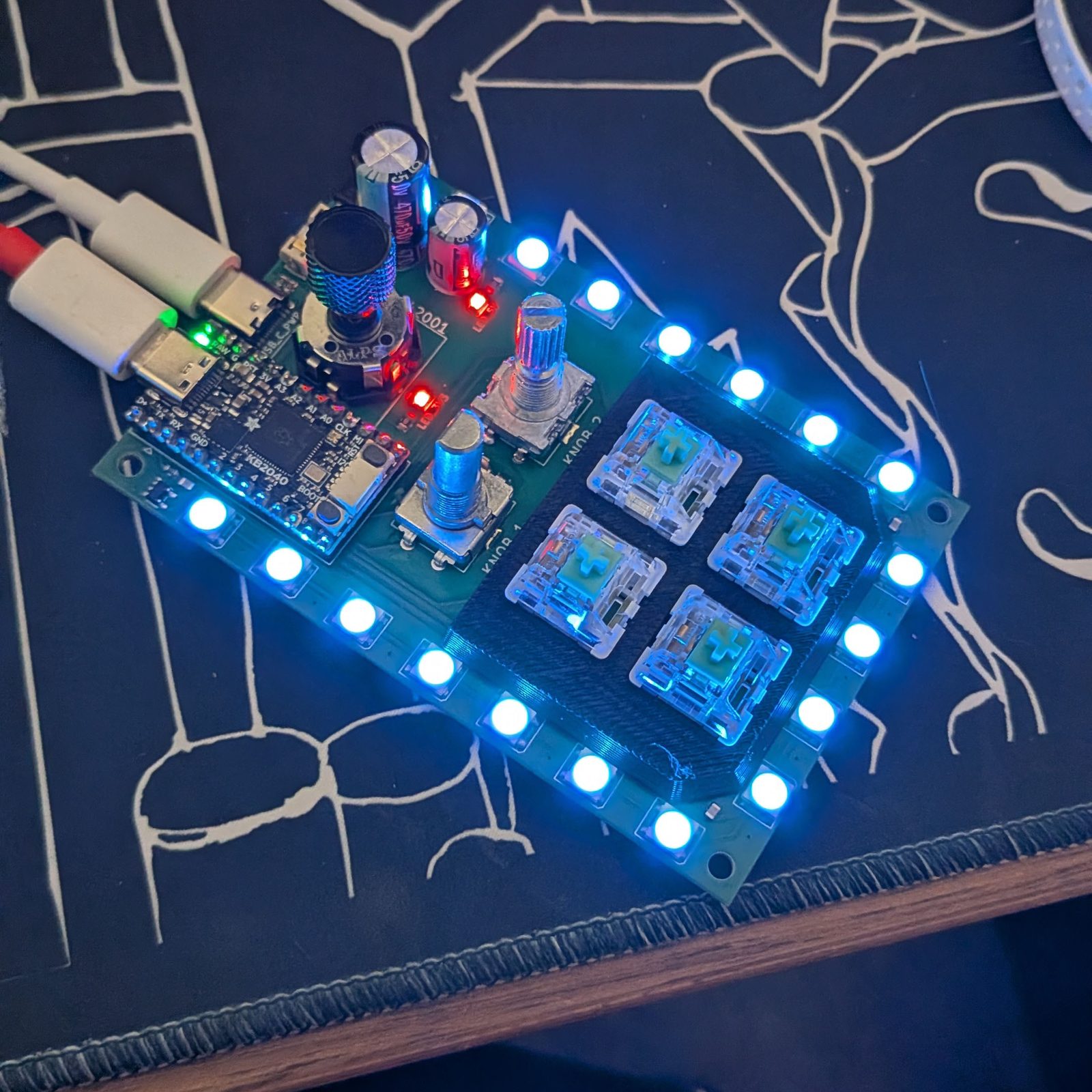
Building one? The interactive assembly guide walks through the portrait board one step at a time: a drawing of the board highlights each step’s parts and pad 1, and you tick steps off as you go.
Firmware
The firmware is CircuitPython rather than QMK, because deej needs a serial port and CircuitPython gives you a serial port and USB HID from one build. A few decisions make it behave like a product rather than a dev board:
- Plug and play by default. Normal mode hides the CIRCUITPY drive and the REPL, so Windows sees a keyboard and exactly one COM port for deej. Holding key 1 while plugging in opens setup mode. Holding key 4 runs a factory self-test.
- It doesn’t brick on a bad setting. Customer settings live in their own
config.py. A typo there falls back to factory defaults and blinks red three times instead of leaving a dead pad. - It never stops. USB errors while the PC is asleep are swallowed, a crash reloads the firmware, and a 5-second hardware watchdog catches hangs.
- Remap from the browser. The web configurator talks to the pad over Web Serial in Chrome or Edge: click a key or knob, pick what it does, save. No drivers, no flashing.
- Knobs work without deej too. Any knob can send keys or media keys instead, such as Windows’ own volume up/down.
What I’d Change Next
- The LEDs stay lit when the PC is off if the LED cable is still in. The next board revision gates the LED supply from the PC side.
- A pull-down on the level shifter input, which floats while the controller is unpowered.
- v2, parked for now: a separate 4-layer hub board with a USB 3.0 port and a built-in Windows Hello fingerprint reader. It’s fully designed in the schematic, but it needs SuperSpeed routing, which is why it isn’t in v1.
Status
The boards are designed and the firmware has passed its desktop tests, but it is currently being tested and refined. The hope is to refine the configurator before starting to finalize the version 2 design. More photos and updates will be added to this page as testing goes on.